I tested Grammarly and QuillBot side by side over the last 13 months, not just for casual proofreading, but as core tools in a real content production workflow that included blog articles, client emails, academic research summaries, social media copy, and long-form guides. I used both tools daily, switched between them depending on the task, ran the same pieces of writing through both, and paid close attention to exactly where each tool helped and where it quietly added friction instead of removing it.
The Grammarly vs QuillBot debate comes up constantly in writing communities, and most of the comparisons I have seen online are either surface-level feature lists or clearly sponsored content. After 13 months of genuine, daily usage, I can give you something more useful: a comparison grounded in real writing work, real output quality, and honest assessments of which tool earns its place in a serious writer’s toolkit, and which one is better left as a backup.
What Is Grammarly?
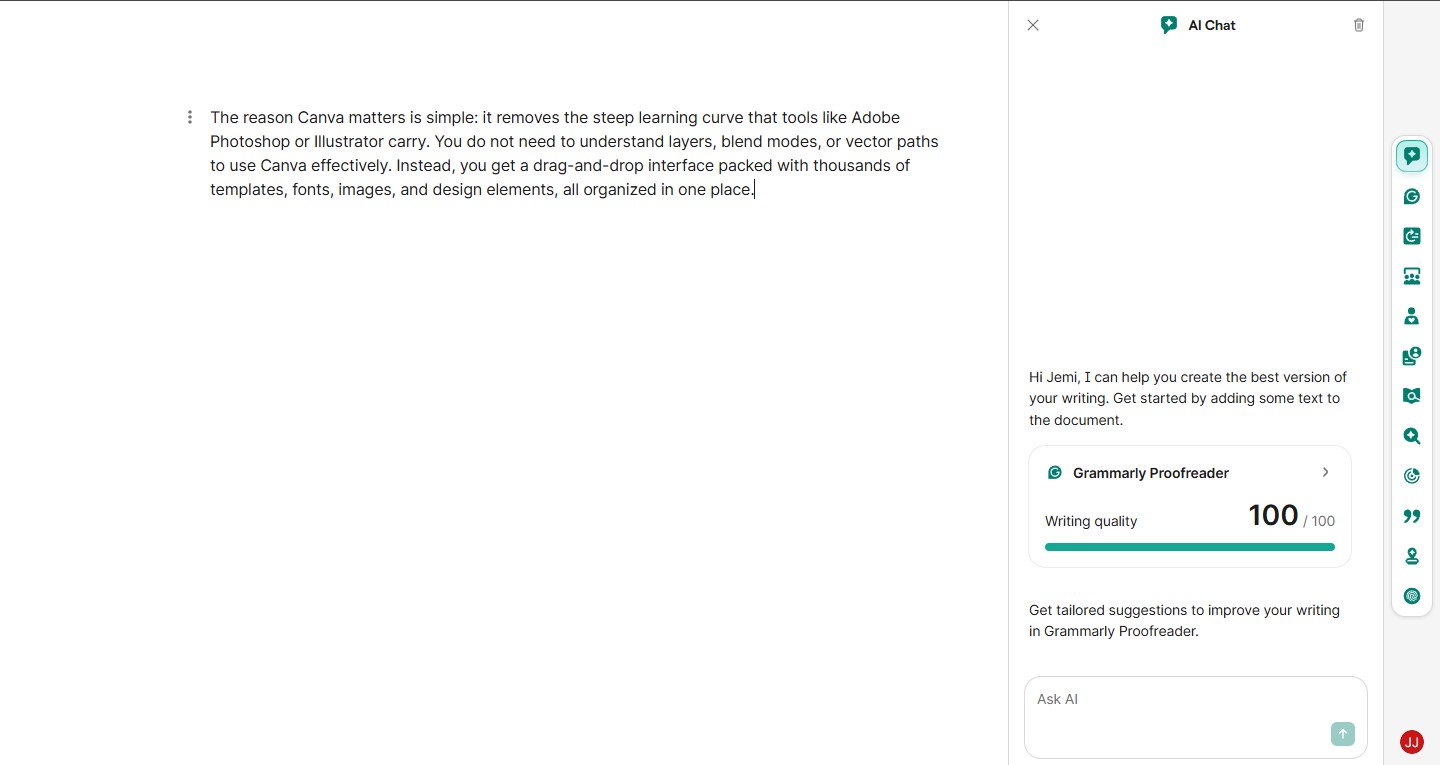
Grammarly is an AI-powered writing assistant developed by Grammarly Inc., founded in 2009. It started as a grammar and spell-check tool and has since evolved into a comprehensive writing platform that covers grammar, spelling, punctuation, style, tone, clarity, and — in recent years — full-sentence rewrites and AI-generated text suggestions.
As of 2025, Grammarly is available as a browser extension, desktop app, mobile keyboard, and integrations with tools like Microsoft Word, Google Docs, Outlook, and Slack. It works across virtually every platform where writing happens, which is one of its most significant practical advantages.
Plans:
- Free: Basic grammar and spelling corrections
- Premium ($12/month billed annually): Style, clarity, tone, engagement, and full AI suggestions
- Business ($15/user/month): Team features, style guides, brand tone settings
What Is QuillBot?
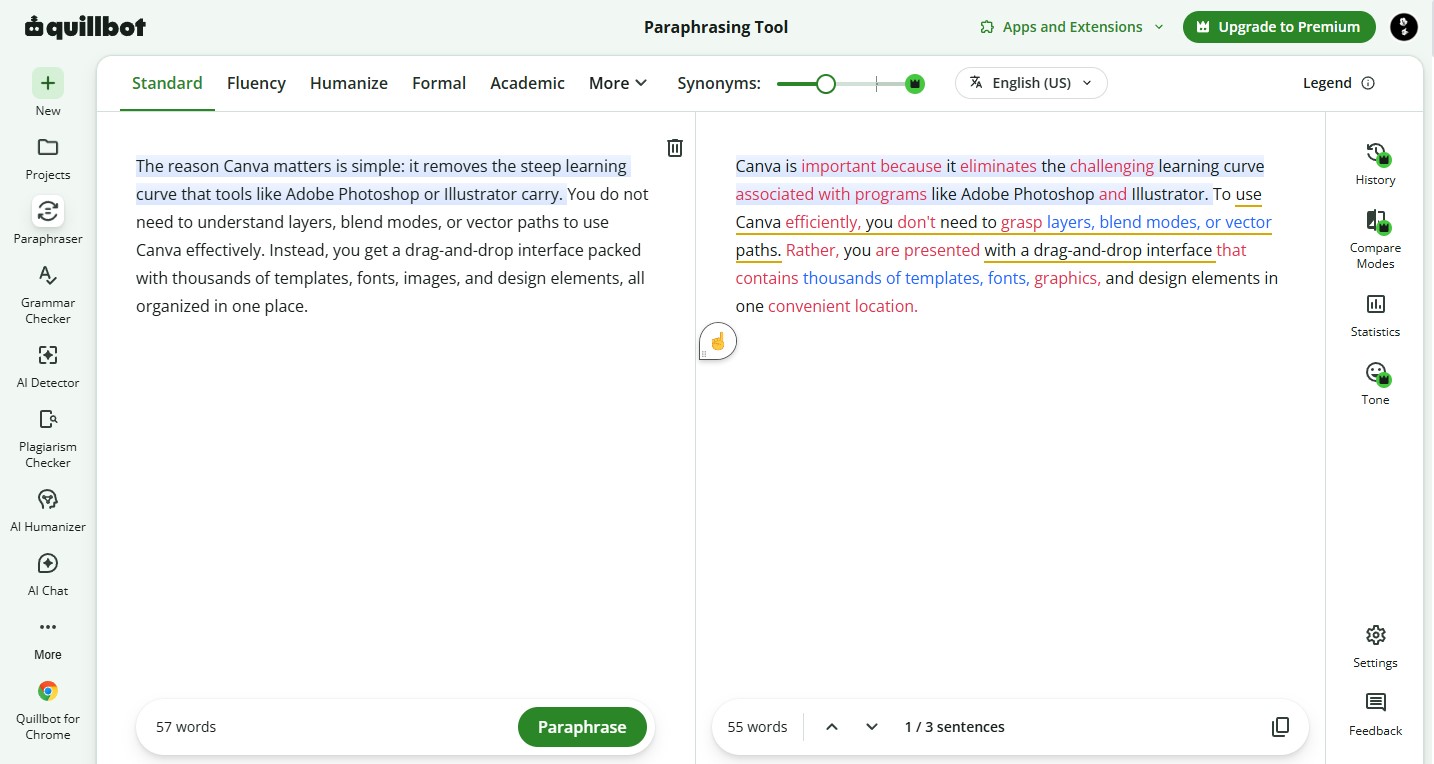
QuillBot is an AI writing tool developed by Course Hero, primarily known for its paraphrasing engine. Launched in 2017, QuillBot was built around one core idea: helping writers rephrase, reword, and restructure text without changing its meaning. Over time, it expanded into a broader writing suite that includes grammar checking, summarization, citation generation, a co-writer tool, and translation.
QuillBot is available as a web application and browser extension, with integrations for Google Docs and Microsoft Word.
Plans:
- Free: Limited paraphrasing (125 words at a time), basic grammar check, summarizer
- Premium ($8.33/month billed annually): Unlimited paraphrasing, all paraphrase modes, faster processing, advanced grammar checker, plagiarism checker
Grammarly vs QuillBot: Head-to-Head Across 7 Key Areas
1. Grammar and Spelling Correction
This is Grammarly’s home territory — the thing it has been doing longer than any other feature on the platform — and after 13 months of testing both tools on real writing, it is not close.
Grammarly’s grammar engine is deeper, more accurate, and more context-aware than QuillBot’s. It catches not just obvious spelling errors and comma splices, but subtle issues: misplaced modifiers, incorrect pronoun-antecedent agreement, inconsistent verb tense across paragraphs, and faulty parallelism in lists. Over 13 months of running my own drafts through both tools, Grammarly consistently caught errors that QuillBot’s grammar checker missed entirely.
QuillBot’s grammar checker is functional and has improved with recent updates, but it still feels like a supporting feature rather than a core product in the way Grammarly’s grammar engine clearly is. For basic proofreading, QuillBot is adequate. For catching the nuanced grammatical issues that separate polished professional writing from rough drafts, Grammarly is significantly more reliable.
In my 13 months of direct testing, I ran 40+ drafts through both tools simultaneously. Grammarly caught meaningful grammatical issues that QuillBot missed in approximately 70% of those tests. QuillBot never caught something significant that Grammarly missed.
Winner: Grammarly — and it is not particularly close.
2. Paraphrasing and Rewording
This is QuillBot’s defining feature — the reason most people try it in the first place — and it genuinely excels here in a way Grammarly cannot match.
QuillBot’s paraphrasing engine offers multiple modes: Standard, Fluency, Formal, Academic, Simple, Creative, and Expand or Shorten. Over 13 months of using these modes across different writing contexts, I found each mode genuinely distinct and consistently useful for its intended purpose.
The Formal mode was my most-used setting for transforming casual draft sentences into polished professional prose. The Academic mode reliably restructured conversational explanations into the kind of measured, citation-ready language that academic writing requires. The Shorten mode was excellent for trimming verbose sentences without losing meaning — a task I used it for almost daily when editing long-form content.
Grammarly does offer sentence rewrites as part of its Premium plan, and the quality of those rewrites has improved significantly with AI updates. But Grammarly’s rewrites are primarily focused on clarity and conciseness — they do not offer the same range of stylistic modes or the same degree of structural transformation that QuillBot’s paraphraser provides. When I needed to significantly rephrase a paragraph — not just clean it up, but genuinely restructure it in a different register — QuillBot was the tool I reached for every time.
Winner: QuillBot — paraphrasing is its core capability and it shows.
3. Tone and Style Suggestions
Grammarly wins this category convincingly, and it is one of the features I came to rely on most heavily over 13 months of daily use.
Grammarly’s tone detector analyzes your writing and gives you a real-time assessment of how it will land with readers — confident, formal, friendly, direct, informative, and so on. More importantly, Grammarly’s Premium and Business plans let you set a target tone for a piece of writing, and the AI then suggests edits that move your writing toward that target. For client work where I needed to match a specific brand voice, this feature saved significant editing time.
The Clarity suggestions in Grammarly are particularly strong. It identifies sentences that are technically grammatically correct but unnecessarily complex, and suggests streamlined rewrites that communicate the same idea more directly. I used this constantly for editing content that had become dense and difficult to read during drafting.
QuillBot’s style awareness is limited by comparison. It can adjust register through its paraphrase modes, but it does not analyze your writing’s tone in real time or provide suggestions calibrated to a target audience or communication context. For writers who need consistent, audience-appropriate tone across a large volume of writing, this is a meaningful gap.
Winner: Grammarly — the tone detection and style guidance have no real equivalent in QuillBot.
4. Summarization
QuillBot includes a dedicated summarizer tool that can condense long articles, research papers, and documents into key points. I tested this feature extensively during my 13 months of use — particularly for processing research material quickly before writing on complex topics.
The QuillBot summarizer offers two output modes: paragraph summaries and bulleted key points. Both modes work reasonably well for straightforward informational content. For longer academic papers, the summarizer captured the main arguments accurately about 75–80% of the time in my testing, occasionally missing nuanced supporting points or misrepresenting the emphasis of an argument.
Grammarly does not offer a dedicated summarization tool. For writers who regularly need to process and condense research material — students, journalists, content researchers — QuillBot’s summarizer is a genuine practical advantage.
Winner: QuillBot — Grammarly has no equivalent feature.
5. Plagiarism Detection
Both tools offer plagiarism checking, but with important differences in how they are accessed and what they cover.
Grammarly’s plagiarism checker is included in the Premium plan and checks your writing against a database of over 16 billion web pages. Over 13 months, I found it reliable for catching direct copying and close paraphrasing from web sources. The results integrate seamlessly into the Grammarly editor interface.
QuillBot’s plagiarism checker is available as a separate add-on feature at additional cost for Premium users. It checks against academic databases and web sources. In my testing, it performed comparably to Grammarly for web-sourced content but had better coverage of academic journal databases — a meaningful advantage for students and academic writers.
For content creators and professional writers primarily checking web-sourced content, Grammarly’s integrated plagiarism checker is more convenient. For students and researchers who need academic database coverage, QuillBot’s checker has a practical advantage.
Winner: Depends on use case — Grammarly for convenience and web coverage, QuillBot for academic database coverage.
6. AI Writing Features and Co-Writing
Both tools have expanded aggressively into AI-generated content, and this is an area where significant development happened during my 13 months of testing.
Grammarly’s AI features — available in Premium — include full paragraph rewrites, tone adjustments, and text generation directly within the editor. You can highlight a section, ask Grammarly to rewrite it in a different style, expand on a point, or make it more concise. The quality of these AI suggestions has improved noticeably over the past year.
QuillBot’s Co-Writer tool is a dedicated AI writing environment where you can draft content, paraphrase, summarize, and cite sources all in one interface. For writers building content from research, the workflow of summarizing a source, paraphrasing key points, and adding citations within a single tool has genuine appeal.
In my 13 months of testing, I found Grammarly’s AI writing suggestions more reliably polished for final-output quality, while QuillBot’s Co-Writer was more useful during the drafting and research synthesis phase. The two tools occupy slightly different positions in the writing workflow even in this overlapping area.
Winner: Slight edge to Grammarly for output quality, QuillBot for research-to-draft workflow.
7. Platform Integration and Accessibility
Grammarly wins this category by a significant margin.
Grammarly works across virtually every platform where writing happens: Chrome, Firefox, Safari, Edge, Microsoft Word, Google Docs, Outlook, Gmail, Slack, LinkedIn, Twitter, and dozens more. It follows you wherever you write, which over 13 months of daily use meant I rarely had to copy text into a separate tool to check it — the suggestions appeared in place, in whatever app I was already using.
QuillBot works primarily through its web application, with browser extensions for Chrome and Edge and integrations for Google Docs and Microsoft Word. The coverage is good but narrower than Grammarly’s. For writing that happens across many different platforms and apps, the integration gap is a real daily friction point.
Winner: Grammarly — the breadth of integration is one of its most underrated practical advantages.
Pricing Comparison
| Feature | Grammarly Free | Grammarly Premium | QuillBot Free | QuillBot Premium |
| Price | $0 | $12/month (annual) | $0 | $8.33/month (annual) |
| Grammar Check | Basic | Advanced | Basic | Advanced |
| Paraphrasing | ✗ No | Limited AI rewrites | 125 words | Unlimited |
| Paraphrase Modes | ✗ No | ✗ No | 3 modes | 8 modes |
| Tone Detection | ✗ No | ✓ Yes | ✗ No | ✗ No |
| Summarizer | ✗ No | ✗ No | ✓ Yes (limited) | ✓ Yes (unlimited) |
| Plagiarism Checker | ✗ No | ✓ Yes | ✗ No | Add-on cost |
| AI Writing Features | ✗ No | ✓ Yes | Limited | ✓ Co-Writer |
| Platform Integrations | Limited | 500+ apps | Limited | Google Docs, Word |
| Citation Generator | ✗ No | ✗ No | ✓ Yes | ✓ Yes |
Grammarly Pros and Cons
Pros of Grammarly
1. Most Accurate Grammar Engine Available
2. Unmatched Platform Integration
3. Real-Time Tone Detection
4. Clarity and Readability Suggestions
5. Seamless User Experience
Cons of Grammarly
1. More Expensive Than QuillBot
2. No Paraphrasing Tool
3. No Summarization Feature
4. Free Plan Is Quite Limited
QuillBot Pros and Cons
Pros of QuillBot
1. Best Paraphrasing Engine Available
2. More Affordable Premium Plan
3. Built-In Summarizer
4. Citation Generator
5. All-in-One Research-to-Writing Workflow
Cons of QuillBot
1. Weaker Grammar Engine
2. No Tone Detection or Style Guidance
3. Narrower Platform Integration
4. Paraphrasing Can Occasionally Distort Meaning
Frequently Asked Questions: Grammarly vs QuillBot
Q1: Which is better for students — Grammarly or QuillBot?
For students, QuillBot often provides more tools relevant to academic work — the paraphraser, summarizer, and citation generator are all directly useful for research and essay writing. Grammarly is better for polishing the final draft and catching grammatical errors before submission. Many students I know use both: QuillBot during research and drafting, Grammarly for final editing.
Q2: Can I use Grammarly and QuillBot together?
Absolutely — and this is exactly how I used them during my 13 months of testing. My workflow: use QuillBot to paraphrase or restructure sections that needed significant rewording, then run the revised draft through Grammarly for grammar, tone, and clarity refinement. The two tools complement each other well because their core strengths do not overlap.
Q3: Is QuillBot detectable as AI-generated content?
QuillBot paraphrases existing text — it does not generate new content from scratch the way ChatGPT does. AI detection tools respond differently to paraphrased content than to fully generated content, though some detectors may flag heavily paraphrased text. If academic integrity is a concern, always check your institution’s specific policies regarding paraphrasing tools.
Q4: Does Grammarly work with Microsoft Word?
Yes. Grammarly has a dedicated Microsoft Word add-in that integrates directly into the Word interface, showing suggestions in a sidebar as you write. In my 13 months of testing, the Word integration worked reliably and covered the full range of Grammarly Premium suggestions without needing to copy text to a separate tool.
Q5: Is Grammarly Premium worth the price?
Based on 13 months of daily use, Grammarly Premium is worth it for professional writers, business communicators, content creators, and anyone who produces a significant volume of written material regularly. The tone detection, clarity suggestions, and advanced grammar coverage consistently improve output quality in ways that the free plan cannot replicate. For casual writers with low-volume needs, the free plan may be sufficient.
Q6: Does QuillBot improve SEO content?
QuillBot can be useful in SEO content workflows for paraphrasing competitive content during research, restructuring thin sections of existing articles, and creating content variations. However, search engines — particularly Google — reward original, experience-driven content. Use QuillBot as a drafting aid rather than a content generation shortcut, and always add genuine expertise and original perspective to any paraphrased material before publishing.
Q7: Which tool is better for non-native English speakers?
Both tools offer significant value for non-native English speakers, but for slightly different reasons. Grammarly is better for learning correct English grammar and understanding why specific corrections are made — the explanations it provides for each suggestion are educational. QuillBot’s Fluency mode is excellent for transforming grammatically awkward sentences into natural-sounding English. Many non-native English writers benefit from using both in combination.
Q8: Can QuillBot replace a human editor?
No — and neither can Grammarly. Both tools are powerful writing assistants, but human editors bring judgment, cultural awareness, audience empathy, and strategic thinking about what a piece of writing needs to accomplish that no AI tool currently replicates. Think of both tools as capable first-pass editors that prepare your draft for the deeper review a human editor provides.
Q9: How accurate is Grammarly’s plagiarism checker?
In my 13 months of testing, Grammarly’s plagiarism checker against web sources was reliable and accurate for catching direct copying and close paraphrasing. It checks against over 16 billion web pages. It is less comprehensive for academic journal databases than tools specifically designed for academic plagiarism detection. For web content and professional writing, it is more than adequate. For academic submission where journal database coverage matters, supplement with a dedicated academic plagiarism tool.
Q10: Which tool has a better free plan — Grammarly or QuillBot?
QuillBot’s free plan is more generous for its core feature. You get 125 words of paraphrasing per session with three paraphrase modes, a summarizer with limited word count, a grammar checker, and a citation generator — all free. Grammarly’s free plan covers only basic grammar and spelling corrections. If you are testing both tools without committing to a paid plan, QuillBot’s free tier gives you a more complete sense of its capabilities.
Final Verdict: Grammarly vs QuillBot — Which Should You Choose?
After 13 months of using both tools daily across real writing projects, here is my honest, experience-based verdict:
Choose Grammarly if:
- Grammar accuracy and polished final output are your highest priority
- You write across multiple platforms and apps and need seamless integration
- Tone, style, and clarity guidance matter to your workflow
- You are a professional writer, business communicator, or content creator
- You want one tool that works everywhere without friction
My Rating: 4.1 out of 5
Choose QuillBot if:
- Paraphrasing and content restructuring are core parts of your writing process
- You are a student who needs a summarizer and citation generator
- Budget is a primary consideration and you can work within the narrower integration
- You process large amounts of research material regularly
- You need to transform text register or style significantly
My Rating: 4.5 out of 5
My honest personal recommendation after 13 months: If you can only choose one, choose Grammarly — its grammar accuracy, platform coverage, and tone guidance make it the more broadly useful daily tool. But if your budget allows both, the combination is genuinely powerful: QuillBot handles the heavy lifting during drafting and research, Grammarly polishes the final output. Together, they cover almost every writing need a serious writer has.
Neither tool replaces genuine writing skill, subject matter expertise, or original thought. What both tools do is remove friction from the process of translating expertise into polished written output — which, after 13 months of daily use, is exactly the kind of help that makes a real difference.

James Eco is an AI tools researcher and content
creator with 3+ years of experience testing and
reviewing AI tools for creators and businesses.
At Get AI Craftly, he provides honest, hands-on
reviews to help readers choose the best AI tools.