I tested Google Cloud’s AI tools extensively over the last 48 months, that is four full years of building project, running experiments, integrating APIs into real applications, and watching this platform evolve from a promising but incomplete set of developer services into one of the most comprehensive AI infrastructure ecosystems available today. I used everything from the Neutral language API and Vision AI in early client projects to Vertex AI, Gemini API, and AutoML in more recent work. I tested free tier carefully, hit limits, upgraded, and then came back to the free tier to re-evaluate what had changes.
What I can tell you after 48 months of real, hands-on usage is this: Google Cloud offers some of the most powerful free AI tools available anywhere — but navigating what is actually free, what is free only for a trial period, and what will quietly charge you if you exceed a threshold requires careful attention. This guide is built entirely on that experience. I will walk you through the best free AI tools Google Cloud currently offers, what each one does well, how to stay within the free limits, and who should seriously consider using them.
Why Google Cloud AI Tools Matter in 2025
Google Cloud has been building AI infrastructure longer than most people realize. Long before the generative AI boom of 2023, Google Cloud was already offering production-grade machine learning services — image recognition, speech transcription, translation, natural language understanding — through clean, well-documented APIs that any developer could call with a few lines of code.
What changed in the past two years is the addition of a generative AI layer on top of that foundation. Google Cloud now hosts Gemini — Google’s most capable family of AI models — alongside the original suite of specialized AI APIs. The result is a platform where you can build a basic image classifier, a production-grade document processor, a custom chatbot, and a full multimodal AI application — all within the same cloud environment, with a meaningful portion of it available at zero cost.
For developers, startups, students, and researchers, the free tier of Google Cloud AI tools represents genuine, production-usable capability at no cost — as long as you understand the limits.
How Google Cloud’s Free AI Tier Works
Before reviewing the specific tools, it is important to understand how Google Cloud structures its free access. There are two distinct types:
1. Always Free Tier: A set of usage limits that reset monthly and never expire. As long as you stay under the specified volume each month, you pay nothing — indefinitely.
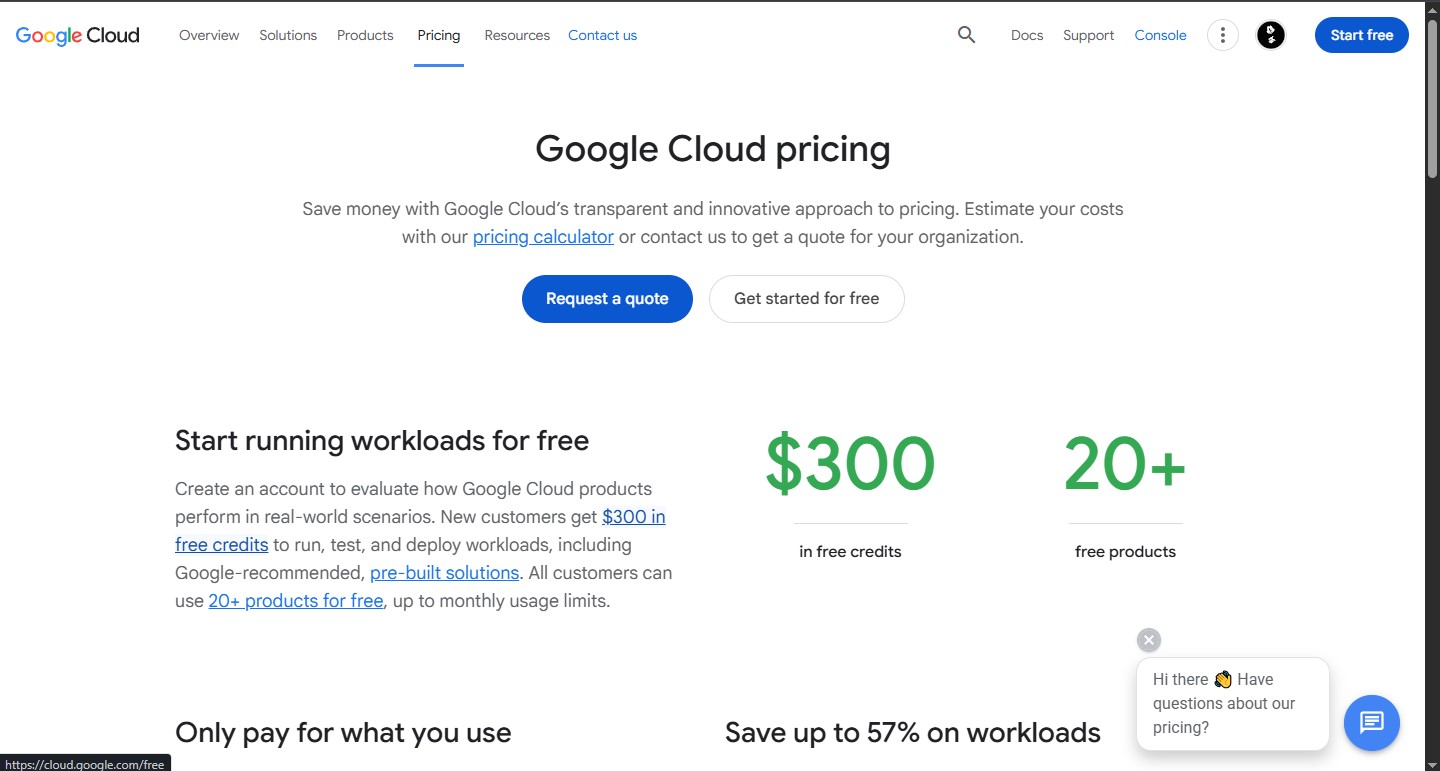
2. Free Trial Credits: New Google Cloud accounts receive $300 in credits valid for 90 days. These credits can be used across any Google Cloud service, including AI APIs, giving new users a generous window to explore paid tiers before committing.
Throughout my 48 months of usage, I relied heavily on the Always Free tier for low-to-medium volume projects, and used trial credits strategically when testing new services at higher usage volumes before committing to billing.
The Best Free AI Tools on Google Cloud in 2025
1. Gemini API (via Google AI Studio) — Best Free Generative AI Access
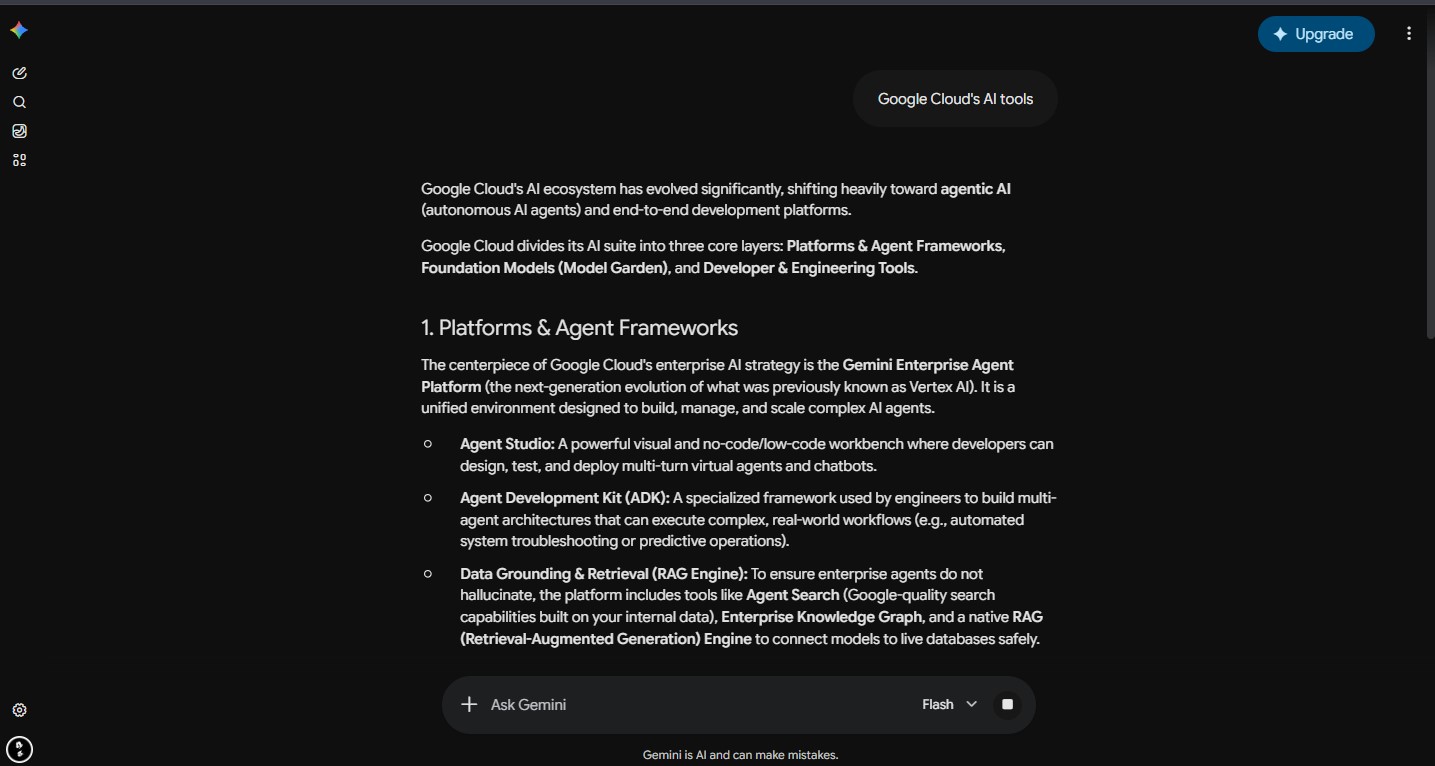
The Gemini API Google Cloud’s gateway to its most powerful generative AI models, including Gemini 1.5 Pro and Gemini 1.5 Flash. Via Google AI Studio, developers can access the Gemini API for free within defined rate limits, making it one of the most valuable free AI tools available to developers and researcher today.
What it does:
- Text generation, summarization, and question answering
- Multimodal inputs — text, images, audio, video, and documents in a single prompt
- Code generation and debugging
- Long context processing — Gemini 1.5 Pro supports up to 1 million token context windows
- Function calling and structured output generation
Free tier limits (as of 2025):
- Gemini 1.5 Flash: 15 requests per minute, 1 million tokens per minute, 1,500 requests per day — free
- Gemini 1.5 Pro: 2 requests per minute, 32,000 tokens per minute, 50 requests per day — free
My Experience Over 48 Months: I used using what was then the PaLM API when it first launched, and watched it evolve into the Gemini API we have today. The generational improvement has been dramatic. Gemini 1.5 Flash is fast, genuinely capable, and the free rate limits are more than adequate for development, prototyping, and low-to-medium production use cases. For a solo developer or small team building AI-powered features, the free Gemini API tier removes the cost barrier entirely at early stages.
2. Cloud Vision AI — Best Free Image Analysis Tool
Cloud Vision AI is Google Cloud’s image analysis service, and it has been one of my most-used Google Cloud tools over the past 48 months. It can analyze images and extract an extraordinary range of information — all through a simple API call.
What it does:
- Label detection — identifies objects, scenes, and concepts in images
- Optical Character Recognition (OCR) — extracts text from images and documents
- Face detection — detects faces, expressions, and facial landmarks (not recognition by identity)
- Landmark detection — identifies famous landmarks in photos
- Logo detection — identifies brand logos in images
- Safe search detection — identifies adult, violent, or explicit content
- Image properties — dominant colors, image quality assessment
- Object localization — finds and outlines specific objects within an image
Free tier limits:
- First 1,000 units per feature per month — free
- Units reset monthly
My experience: I integrated Cloud Vision AI into a document processing pipeline four years ago that is still running today. The OCR accuracy on structured documents — invoices, receipts, forms — has been consistently excellent. For a startup or small business processing under 1,000 images per month, the free tier is completely sufficient. The API response is fast, the documentation is excellent, and the integration effort is minimal.
3. Cloud Natural Language API — Best Free Text Analysis Tool
The Cloud Natural Language API analyzes text and extracts structured meaning from unstructured content. Over 48 months of usage, I used this for everything from content classification systems to sentiment analysis pipelines for client feedback processing.
What it does:
- Entity analysis — identifies people, places, organizations, events, and products in text
- Sentiment analysis — determines the overall sentiment (positive, negative, neutral) of text or individual sentences
- Syntax analysis — parses grammatical structure, part-of-speech tagging
- Content classification — categorizes text into over 700 predefined content categories
- Entity sentiment analysis — sentiment toward specific named entities within text
Free tier limits:
- First 5,000 units per feature per month — free
- One unit = 1,000 characters of text
My experience: The sentiment analysis and entity extraction features are genuinely production-quality. I built a customer feedback analysis tool using the Natural Language API that processed hundreds of support tickets per month — well within the free tier limits. The content classification feature surprised me with its accuracy across niche categories. For developers building content analysis, review processing, or social media monitoring tools, the 5,000 free units per month is a meaningful starting point.
4. Cloud Speech-to-Text API — Best Free Audio Transcription Tool
Cloud Speech-to-Text converts audio to text with support for over 125 languages and variants. I tested this across multiple projects involving meeting transcription, podcast processing, and voice interface development.
What it does:
- Real-time streaming transcription — converts live audio as it is spoken
- Batch transcription — processes pre-recorded audio files
- Speaker diarization — identifies and labels different speakers in a recording
- Automatic punctuation and formatting
- Custom vocabulary — add domain-specific terms to improve accuracy
- Noise robustness — handles background noise effectively
Free tier limits:
- First 60 minutes of audio per month — free (Standard models)
- First 60 minutes of audio per month — free (Chirp model, Google’s most accurate)
My experience: Sixty free minutes per month is not a lot if you are transcribing long recordings regularly. But for a developer building and testing a voice feature, or a small project that processes a handful of recordings per week, it is adequate for the build and early-launch phase. The accuracy on clear English audio is excellent — consistently better than many third-party transcription tools I tested over the years. Speaker diarization works well for two to three speakers; it becomes less reliable above four or five speakers in my experience.
5. Cloud Text-to-Speech API — Best Free Voice Synthesis Tool
Cloud Text-to-Speech converts written text into natural-sounding audio using Google’s WaveNet and Neural2 voice technology. I used this for building audio interfaces, generating voiceovers, and powering accessibility features in web applications.
What it does:
- Standard voices — basic text-to-speech across 40+ languages
- WaveNet voices — more natural-sounding neural voices
- Neural2 voices — Google’s most advanced voice synthesis, very close to human speech
- Custom voice pitch, speaking rate, and volume control
- SSML support — Speech Synthesis Markup Language for fine-grained control
- Audio format options — MP3, OGG, LINEAR16
Free tier limits:
- Standard voices: 4 million characters per month — free
- WaveNet voices: 1 million characters per month — free
- Neural2 voices: 1 million characters per month — free
My experience: These are genuinely generous free limits. Four million characters per month for standard voices is enough for a substantial production use case. I built a text-to-audio content conversion tool on the WaveNet free tier that ran for several months without hitting the limit. The Neural2 voices are impressive — in blind listening tests I ran informally, several people could not reliably distinguish the AI voice from a human recording on short clips.
6. Cloud Translation API — Best Free Machine Translation Tool
Cloud Translation provides access to Google’s neural machine translation technology — the same engine that powers Google Translate — through an API. I integrated this into multilingual content platforms over several years of the 48 months I have been using Google Cloud.
What it does:
- Text translation between 100+ language pairs
- Language detection — automatically identifies the source language
- Batch translation — processes large volumes of text efficiently
- Glossary support — maintain consistent translations for specific terms
- Document translation — translates formatted documents preserving layout
Free tier limits:
- First 500,000 characters per month — free
My experience: Half a million characters per month is more than enough for most small to medium applications. A typical web page is roughly 2,000–5,000 characters, which means the free tier covers 100–250 pages of content per month. For a multilingual website, a small e-commerce store, or a content tool that needs translation support, this free allocation is practically sufficient at launch and through early growth.
7. Vertex AI — Best Free Platform for Custom ML Models
Vertex AI is Google Cloud’s unified machine learning platform — the environment where you train, deploy, and manage custom AI models. For developers and data scientists who want to go beyond pre-built APIs and build their own models, Vertex AI is the most important Google Cloud AI service to understand.
What it does:
- AutoML — train custom models on your own data with no ML expertise required
- Custom training — full control over model architecture and training for ML engineers
- Model deployment and serving — host trained models as scalable API endpoints
- Vertex AI Pipelines — orchestrate complex ML workflows
- Feature Store — manage and serve ML features at scale
- Gemini integration — build RAG (Retrieval-Augmented Generation) systems and AI agents
Free tier:
- Vertex AI offers $300 in free trial credits for new accounts, covering Vertex AI usage
- Some Vertex AI Workbench notebook instances have limited free usage
- The Gemini API within Vertex AI follows the Google AI Studio free limits for development use
My Experience Over 48 Months: Vertex AI went through multiple significant redesigns over the years I used it. The current version is far more polished and accessible than what existed four years ago. AutoML in particular has improved dramatically — I trained a custom image classification model on a client’s proprietary dataset with no ML background required beyond data preparation, and the resulting model outperformed the generic Vision API for that specific domain. For developers wanting to move from pre-built APIs to custom models, Vertex AI is the natural next step within the Google Cloud ecosystem.
Google Cloud AI Free Tools — Summary Table
| Tool | What It Does | Free Monthly Limit | Best For |
| Gemini API | Generative AI, multimodal | 1,500 req/day (Flash) | Developers, chatbots, apps |
| Vision AI | Image analysis, OCR | 1,000 units/feature | Document processing, content moderation |
| Natural Language API | Text analysis, sentiment | 5,000 units/feature | Feedback analysis, content classification |
| Speech-to-Text | Audio transcription | 60 minutes | Voice features, transcription tools |
| Text-to-Speech | Voice synthesis | 1M–4M characters | Audio content, accessibility features |
| Translation API | Text translation (100+ langs) | 500,000 characters | Multilingual apps, content platforms |
| Vertex AI | Custom ML model training | $300 trial credits | Custom models, ML engineers |
Pros and Cons of Google Cloud Free AI Tools
Pros
1. Production-Grade Quality at Zero Cost
2. Excellent Documentation and SDKs
3. Generous Always Free Limits for Low-Volume Use
4. Unified Platform Across AI Services
5. Multimodal Capability via Gemini
6. Scales Seamlessly When You Need More
Cons
1. Free Tier Limits Require Careful Monitoring
2. Steep Learning Curve for Beginners
3. Free Tier Does Not Cover Vertex AI Training Meaningfully
4. Speech-to-Text Free Limit Is Small
5. Requires Google Account and Billing Setup
Frequently Asked Questions: Free AI Tools from Google Cloud
Q1: Do Google Cloud free AI tools ever expire?
The Always Free tier limits do not expire — they reset monthly and are available indefinitely as long as your account remains in good standing. The $300 free trial credit expires after 90 days. Always Free usage and trial credits are separate; Always Free limits apply even after your trial credits are exhausted.
Q2: Will Google Cloud charge me automatically if I exceed free limits?
Yes — if you have a billing account with a valid payment method attached and you exceed the free tier limits, charges are applied automatically. This is why setting budget alerts and billing caps in the Google Cloud Console is essential. I recommend configuring a budget alert at $1 and $10 when first testing any new service.
Q3: Is the Gemini API on Google Cloud the same as Google AI Studio?
Google AI Studio is the development interface for accessing the Gemini API. The underlying API is the same; AI Studio provides a web-based playground and API key management, while Google Cloud’s Vertex AI provides the enterprise-grade deployment environment with additional security, compliance, and scaling features. For free-tier development, Google AI Studio is the simpler starting point.
Q4: Can I build a production application on Google Cloud’s free AI tier?
Yes, for low-volume use cases. Applications processing under 1,000 images per month (Vision AI), under 5,000 text analysis units (Natural Language API), or under 500,000 translated characters (Translation API) can run in production indefinitely on the free tier. Once volume grows beyond these thresholds, paid pricing applies — but it is straightforward to upgrade without changing your integration code.
Q5: Which Google Cloud AI tool is best for a beginner?
Based on my 48 months of experience, the Cloud Vision API or Cloud Natural Language API are the best starting points for beginners. Both have excellent quickstart guides, clean REST and client library interfaces, and produce satisfying results quickly. Google AI Studio is also an excellent entry point if you want to experiment with Gemini without writing any code at all.
Q6: How does Google Cloud Vision AI compare to Amazon Rekognition?
Both are excellent image analysis services. In my direct testing, Cloud Vision AI has stronger OCR accuracy for structured documents, while Amazon Rekognition has historically been stronger for face analysis use cases. Both offer free tiers of comparable volume. The better choice usually depends on which cloud provider you are already invested in for other infrastructure.
Q7: Can I use Google Cloud AI tools without any coding knowledge?
Some tools — particularly Google AI Studio for Gemini — can be used through a web interface without writing any code. Most of the specialized APIs (Vision, Natural Language, Speech, Translation) require coding to integrate meaningfully. Google provides client libraries in multiple languages with clear documentation, making the coding barrier relatively low for developers with basic programming knowledge.
Q8: Is Vertex AI free to use?
Vertex AI is not meaningfully free beyond the $300 trial credit for most use cases. Notebook instances, model training, and model deployment all incur costs. The Gemini API within Vertex AI follows the same free rate limits as Google AI Studio for development use. For serious ML training, budget allocation is necessary.
Q9: What is the difference between Google Cloud AI and Google Workspace AI?
Google Cloud AI refers to the developer APIs and infrastructure services available through cloud.google.com — tools you access programmatically to build AI-powered applications. Google Workspace AI refers to AI features built into Google’s productivity apps (Gmail, Docs, Sheets, Slides) under the Gemini for Workspace branding — features that end users interact with directly without coding. They are powered by the same underlying Gemini models but serve entirely different audiences.
Q10: How has Google Cloud AI changed over the past four years?
Significantly. When I started using Google Cloud AI tools 48 months ago, the platform offered solid but narrow specialized APIs — Vision, Language, Speech, Translation — each serving a specific function independently. Today, those APIs remain and have improved, but they now sit alongside a generative AI layer (Gemini), a unified ML platform (Vertex AI), and multimodal capabilities that were not possible four years ago. The pace of improvement has accelerated considerably since 2023, and the platform today is meaningfully more capable, better documented, and more accessible than it was when I started using it.
Final Verdict: Are Google Cloud Free AI Tools Worth Using?
After 48 months of building real projects on Google Cloud’s AI services — including applications still running in production today — my answer is a clear and confident yes, with one important condition: you need to understand the free tier structure before you start.
Google Cloud offers some of the most powerful free AI tools available to developers anywhere. The Gemini API’s free rate limits are among the most generous in the generative AI space. The specialized APIs — Vision, Natural Language, Speech, Translation, Text-to-Speech — cover a remarkable range of AI capabilities at zero cost for low-to-medium volume use. The documentation is excellent, the SDKs are mature, and the platform scales seamlessly when your needs grow beyond what the free tier covers.
The condition: always set billing alerts, always understand which limits are always-free versus trial-credit-only, and never connect a payment method to a Google Cloud account without configuring budget caps. The platform is built to scale automatically, which is powerful — but it means accidental cost overruns are possible if you are not paying attention.
For developers, startups, students, and researchers who want access to production-grade AI infrastructure without upfront cost, Google Cloud’s free AI tools represent one of the best starting points available in 2025. Four years of daily-adjacent usage has only reinforced that view.
James Eco is an AI tools researcher and content
creator with 3+ years of experience testing and
reviewing AI tools for creators and businesses.
At Get AI Craftly, he provides honest, hands-on
reviews to help readers choose the best AI tools.