Artificial intelligence is no longer limited to big tech companies. Today, anyone can access powerful AI tools without paying upfront. From writing content to building apps, AI is now within reach for students, developers, and businesses alike.
Platforms like Google Cloud are leading this shift by offering free AI tools with real-world capabilities. You can experiment with advanced models, automate tasks, and turn ideas into working solutions—all without heavy investment.
“When I started using Google Clouds free AI tools I realized they are not just for theory. They are actually very powerful, for real-world work. I think for beginners Google Clouds free AI tools are the starting point to learn AI. You can start with Google Clouds free AI tools. Gain practical experience with AI.”
What makes this even more exciting is the availability of tools like Google Gemini, which bring cutting-edge generative AI features to everyday users.
What Are AI Tools?
AI tools are software applications that use artificial intelligence to perform tasks that normally require human intelligence. These tools can analyze data, understand language, recognize images, and even generate content.
At their core, AI tools rely on technologies like machine learning and natural language processing to learn patterns and improve over time. This allows them to deliver faster, smarter, and more accurate results compared to traditional software.
Key Functions of AI Tools
AI tools are designed to simplify complex tasks. Some of the most common functions include:
- Content creation: Writing articles, generating ideas, and summarizing text
- Data analysis: Finding patterns, trends, and insights from large datasets
- Image and video processing: Detecting objects, faces, and scenes
- Speech recognition: Converting voice into text and vice versa
- Automation: Handling repetitive tasks with minimal human input
For example, tools powered by Google Gemini can generate human-like text, answer questions, and assist in coding tasks.
Types of AI Tools
AI tools come in different categories based on what they do. Here are the main types:
1. Text-Based AI Tools
These tools focus on writing, editing, and understanding text. They are widely used for blogging, marketing, and communication.
2. Image and Vision AI Tools
These tools analyze images and videos. They can identify objects, detect faces, and extract useful insights from visual data.
3. Speech and Audio AI Tools
These tools convert speech to text or generate natural-sounding voices. They are useful for transcription, voice assistants, and accessibility.
4. Generative AI Tools
Generative AI tools create new content such as text, images, code, or audio. They are powered by advanced models and are becoming increasingly popular.
5. Automation and Workflow AI Tools
These tools automate repetitive tasks like data entry, customer support, and scheduling, saving time and effort.
Why AI Tools Matter
AI tools are changing how people work and build projects. They reduce manual effort, improve productivity, and open new possibilities for innovation.
Overview of Google Cloud Free AI Offering
Google Cloud provides a generous free tier that allows users to explore powerful AI tools without upfront costs. This makes it easier for beginners, developers, and startups to experiment, learn, and build real applications.
What Is Included in the Free Tier?
Google Cloud’s free offering is divided into two main parts:
1. Always Free Tier
- Access to multiple cloud products at no cost
- Includes AI services with monthly usage limits
- No expiration as long as you stay within limits
2. Free Trial Credits ($300)
- New users receive up to $300 in credits
- Valid for a limited time (usually 90 days)
- Can be used across AI, storage, compute, and more
This combination gives users both long-term free access and short-term flexibility to test advanced features.
Free AI Tools You Can Access
Within the free tier, Google Cloud offers access to several AI-powered services, including:
- Generative AI models for text and app development
- Vision AI for image recognition and analysis
- Speech APIs for transcription and voice generation
- Natural Language APIs for text analysis and sentiment detection
- Translation APIs for multilingual communication
Many of these tools are powered by advanced models like Google Gemini, enabling high-quality results even in the free tier.
“When I tried Google Gemini I was really impressed. I gave it tasks and it came up with articles, ideas and even code right away. Google Gemini felt like a tool that was always there to assist me. I liked using Google Gemini for getting help.”
Monthly Limits and Usage Rules
The free tier is not unlimited. Each tool comes with specific usage caps, such as:
- Number of API requests per month
- Processing limits for text, images, or audio
- Storage and compute restrictions
If you stay within these limits:
- You won’t be charged
- Your free credits remain untouched
- No billing method is used
However, exceeding the limits may result in charges if billing is enabled.
Who Should Use the Free Tier?
Google Cloud’s free AI tools are ideal for:
- Beginners learning AI and cloud technologies
- Developers building prototypes or testing ideas
- Startups experimenting before scaling
- Businesses exploring automation and AI integration
Is Google Gemini Free to Use?
Google Gemini is one of the most advanced AI models available today, and yes—it does offer free access. However, the level of access depends on how and where you use it.
Free Access for Individuals
For general users, Gemini is available for free through:
- Web interfaces and apps
- Basic AI chat and content generation
- Everyday tasks like writing, brainstorming, and research
This makes it a great starting point for students, freelancers, and beginners who want to explore AI without spending money.
Free Access on Google Cloud
When used through Google Cloud, Gemini is available as part of the free tier with certain limits. You can:
- Test generative AI models
- Build and prototype applications
- Experiment using tools like AI Studio
However, usage is capped. You’ll have limits on requests, tokens, or processing depending on the service.
Paid Features and Upgrades
While basic access is free, advanced features may require payment. These include:
- Higher usage limits
- Faster performance and priority access
- Advanced models or enterprise-level capabilities
This means you can start free, but scaling a project or business will likely require a paid plan.
Limitations of the Free Version
Free access comes with a few restrictions:
- Daily or monthly usage caps
- Limited customization options
- Possible slower response times during peak usage
These limits are designed to keep the service accessible to everyone while managing resources efficiently.
Is It Worth Using for Free?
For most users, the free version of Gemini is more than enough to:
- Create content
- Learn AI tools
- Build simple applications
- Test ideas before investing
It offers a powerful introduction to generative AI without any financial risk.
Best Free AI Tools Available on Google Cloud
Google Cloud offers a wide range of free AI tools that cover almost every major use case—from generating content to analyzing images and audio. These tools are designed to help you build, test, and scale AI-powered applications without heavy upfront costs.
Below are the most useful categories of free AI tools you can access.
1. Generative AI Tools
Generative AI tools allow you to create new content such as text, code, and ideas.
- Powered by models like Google Gemini
- Useful for writing, brainstorming, and app development
- Can be tested using Google AI Studio
Best for: Content creators, developers, and startups building AI apps
2. Natural Language Processing (NLP) Tools
These tools help computers understand and analyze human language.
- Sentiment analysis (positive, negative, neutral)
- Entity recognition (names, places, brands)
- Text classification and summarization
Best for: Customer feedback analysis, chatbots, and automation
3. AI Translation Tools
Google Cloud provides powerful translation services for multiple languages.
- Real-time text translation
- Batch translation for large documents
- Custom glossaries for accurate terminology
Best for: Businesses, global communication, and multilingual apps
I tried out some translation tools. What I found out was really interesting. These tools do not just translate each word on its own they actually look at the sentence and figure out what it really means. Then they convert it. I was happy to see that the results were very good when I translated from Urdu to English and also from English to Urdu. The translation tools worked well for Urdu to English and also for English, to Urdu.
4. Vision AI (Image Analysis Tools)
These tools analyze images and extract meaningful insights.
- Detect objects, faces, and landmarks
- Identify logos and text within images
- Enable visual search systems
Best for: E-commerce, security systems, and media applications
“When I tried out Vision AI tools it felt like I was using something from the future. I uploaded some images. The system was really good at figuring out what was, in them. It could detect objects, text and all the little details. This technology seems useful for ideas related to online shopping.”
5. Speech-to-Text Tools
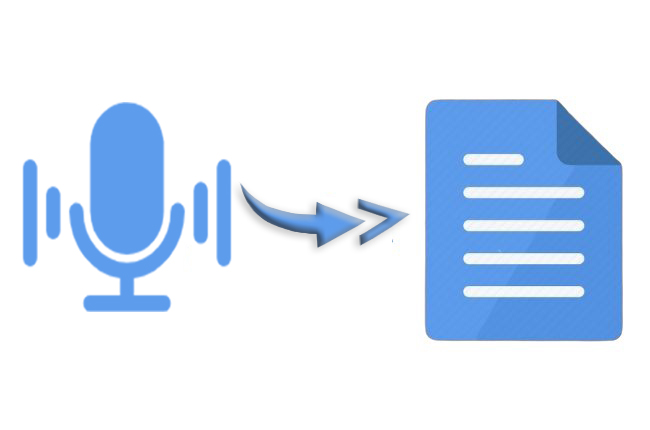
Convert spoken language into written text بسهولة and accurately.
- Transcribe audio files
- Support for multiple languages
- Useful for real-time and recorded audio
Best for: Transcriptions, captions, and voice-based apps
I found that converting files into text was a big help. It saved me a lot of time when I did this. I used to spend hours typing things out by hand.. When I converted audio files into text I got things done in just a few minutes. The text that came out was really accurate too. Converting files into text was a great way to get things done quickly. I was happy, with how accurate the text was when I converted files into text.
6. Text-to-Speech Tools
These tools generate natural-sounding audio from text.
- Multiple voices and languages
- Realistic speech output
- Can be used in apps, videos, and accessibility tools
Best for: Content creators, accessibility solutions, and voice assistants
I tried turning text into voice. The voices sounded really natural and human-like. It makes making videos and learning content a lot simpler. The voices are really good. Make it easy to create stuff. Converting text to voice is helpful, for videos and learning content.
7. Video Intelligence Tools
Analyze video content using AI.
- Detect objects and actions in videos
- Process both stored and live streams
- Extract insights automatically
Best for: Media platforms, surveillance, and content moderation
I tried out these video analysis tools. I think the video analysis tools are really great. The video analysis tools can look at videos. Figure out what is going on. They can find things in the video. Tell me what they are. They can also look at parts of the video. Say what is happening in those parts. This was a cool thing to see the video analysis tools do.
8. AI Tools for Data and Text Analysis
These tools help you understand large amounts of unstructured data.
- Extract key insights from documents
- Analyze trends and patterns
- Automate data-driven decisions
Best for: Businesses, analysts, and researchers
When I looked at what people were saying in reviews and comments the AI immediately told me if they were happy or unhappy. This seems helpful, for getting business insights.
Why These Tools Stand Out
The biggest advantage of using Google Cloud’s free AI tools is integration. You can combine multiple services—like text analysis, speech, and vision—into one powerful application.
Even with free usage limits, these tools are strong enough to build real-world projects, test ideas, and gain hands-on experience with AI.
Free Generative AI Tools for Building Apps
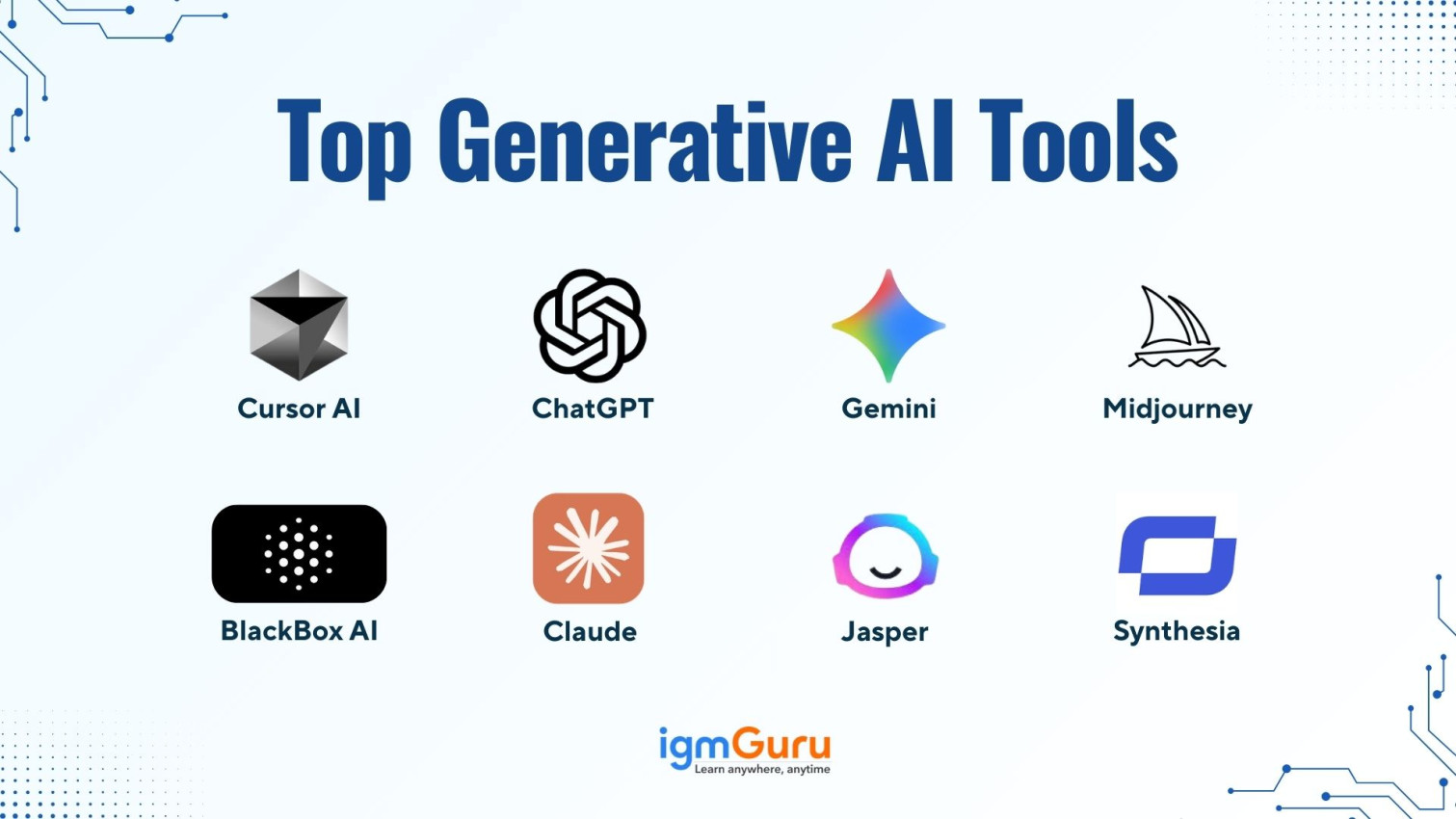
Generative AI has made it easier than ever to turn ideas into working applications. With tools available on Google Cloud, you can build, test, and launch AI-powered apps without needing large budgets or complex infrastructure.
These tools are designed for rapid prototyping. You can experiment with models, refine outputs, and integrate AI into real products—all within the free tier limits.
What Is Generative AI in App Development?
Generative AI refers to models that can create new content such as text, code, images, or structured data. In app development, this means you can:
- Build chatbots and virtual assistants
- Generate dynamic content for apps
- Automate workflows and user interactions
- Create smart features like recommendations and summaries
Most of these capabilities are powered by models like Google Gemini.
Prototyping Apps with AI Models
One of the biggest advantages of free AI tools is fast prototyping. Instead of building everything from scratch, you can:
- Use pre-trained models to handle complex tasks
- Test different prompts and outputs instantly
- Iterate quickly based on results
This approach reduces development time and helps you validate ideas before investing heavily.
Using Google AI Studio for Experimentation
Google AI Studio is a key tool for working with generative AI on Google Cloud. It provides a simple interface to interact with AI models.
With AI Studio, you can:
- Experiment with prompts and responses
- Test different use cases like chat, summarization, or coding
- Generate API keys to connect your app with AI models
This makes it ideal for beginners and developers who want hands-on experience without deep setup.
Common Use Cases for Generative AI Apps
1. Chatbots and Virtual Assistants
Create AI assistants that can answer questions, guide users, or provide support.
2. Content Generation Apps
Build tools that generate blogs, product descriptions, or social media posts automatically.
3. Smart Search and Recommendations
Enhance apps with AI that understands user intent and provides better results.
4. Automation Tools
Develop systems that automate repetitive tasks like email responses or data processing.
Benefits of Using Free Generative AI Tools
- Low cost: Start building without spending money
- Speed: Quickly turn ideas into prototypes
- Scalability: Upgrade easily as your project grows
- Ease of use: Minimal setup and user-friendly interfaces
Limitations to Keep in Mind
- Usage limits on API calls and processing
- Restricted access to advanced features
- Performance may vary under heavy load
Despite these limits, free generative AI tools are powerful enough to build functional apps and test real-world ideas.
AI Writing and Content Generation Tools
AI writing tools have transformed how content is created. Instead of starting from scratch, you can now generate high-quality text in seconds. These tools are widely used for blogs, marketing, emails, and even code documentation.
With platforms like Google Cloud, you can access powerful writing tools as part of the free AI ecosystem and integrate them directly into your workflows.
How AI Writing Tools Work
AI writing tools use advanced language models to understand prompts and generate human-like text. Models such as Google Gemini are trained on large datasets, allowing them to:
- Understand context and intent
- Generate coherent and relevant content
- Adapt tone and style based on instructions
You simply provide a prompt, and the AI produces structured, readable content within seconds.
When I used AI tools for content writing the work became a lot easier for me. I remember before that it would take me a long time to write something.. Now when I use AI tools for content writing I can get ideas and drafts in just a few seconds. I just need to make a changes and do a bit of editing to the article and then the article is ready to go. I have to say, using AI tools, for content writing has been a help.
Common Use Cases
1. Blog and Article Writing
Create full-length articles, outlines, and drafts quickly. This is especially useful for content creators and niche websites.
2. Marketing Copy
Generate product descriptions, ad copy, and email campaigns with consistent messaging.
3. Social Media Content
Write captions, posts, and ideas tailored for different platforms.
4. Email and Communication
Draft professional emails, replies, and business messages effortlessly.
5. Content Summarization
Turn long documents into short, easy-to-read summaries.
Benefits of AI Writing Tools
- Speed: Generate content in seconds
- Consistency: Maintain tone and style across content
- Productivity: Reduce manual writing effort
- Scalability: Produce large volumes of content easily
These advantages make AI writing tools essential for bloggers, marketers, and businesses.
Limitations to Consider
While powerful, AI writing tools are not perfect:
- Content may require editing for accuracy
- Overuse can lead to generic or repetitive text
- Fact-checking is still necessary
- Creativity may be limited without strong prompts
Using AI as a помощник rather than a replacement gives the best results.
Best Practices for Better Results
To get the most out of AI writing tools:
- Use clear and specific prompts
- Provide context and examples
- Edit and refine the output
- Combine AI with your own insights

Why Use Google Cloud for AI Writing?
By using AI tools on Google Cloud, you can go beyond simple writing. You can:
- Integrate content generation into apps
- Automate workflows at scale
- Customize outputs using APIs
This makes it ideal not just for writing, but for building complete AI-powered content systems.
AI-Powered Language Translation Tools
Language barriers are no longer a major challenge thanks to AI-powered translation tools. With services available on Google Cloud, you can translate text quickly, accurately, and at scale. These tools are especially useful for businesses, developers, and content creators working with global audiences.
How AI Translation Tools Work
AI translation tools use machine learning models to understand the meaning of text rather than translating word by word. This leads to more natural and context-aware translations.
Technologies behind these tools can:
- Detect the source language automatically
- Understand sentence structure and context
- Produce fluent translations in multiple languages
This makes modern translation far more accurate than traditional methods.
Key Features of Google Cloud Translation Tools
1. Real-Time Translation
Translate text instantly as it is entered. This is useful for chat apps, customer support, and live communication.
2. Multi-Language Support
Support for dozens of languages, allowing you to reach users worldwide.
3. Batch Translation
Translate large amounts of text or entire documents in one go. Ideal for businesses handling bulk content.
4. Custom Glossaries
Define specific terms and phrases to ensure consistent and accurate translations, especially for industry-specific content.
Common Use Cases
1. Website Localization
Translate your website into multiple languages to reach a global audience.
2. Customer Support
Communicate with users in their native language using real-time translation.
3. Content Expansion
Repurpose blogs, articles, and marketing content for different regions.
4. App Integration
Add translation features directly into mobile or web applications.
Benefits of AI Translation Tools
- Speed: Instant translations for faster communication
- Accuracy: Context-aware results that sound natural
- Scalability: Handle large volumes of content بسهولة
- Cost-effective: Reduce the need for manual translation services
Limitations to Consider
- Complex or highly technical content may need human review
- Cultural nuances might not always be perfectly captured
- Accuracy can vary depending on the language pair
Combining AI translation with human editing often gives the best results.
Image Recognition and Analysis Tools
AI-powered image recognition tools allow machines to “see” and understand visual content. With services from Google Cloud, you can analyze images, extract meaningful data, and build intelligent visual applications—all within the free usage limits.
How Image Recognition AI Works
Image recognition tools use deep learning models trained on millions of images. These models can identify patterns, shapes, and objects within an image.
They are capable of:
- Detecting objects and scenes
- Recognizing faces and emotions
- Reading text within images (OCR)
- Classifying images into categories
This enables applications to process visual data just like humans—but much faster and at scale.
Key Features of Vision AI Tools
1. Object Detection
Identify everyday objects such as cars, animals, products, and more within images.
2. Face Detection
Detect human faces and analyze features like expressions (without identifying individuals).
3. Landmark Recognition
Recognize famous places and locations from images.
4. Logo Detection
Identify brand logos in images, useful for marketing and brand monitoring.
5. Text Extraction (OCR)
Extract printed or handwritten text from images and documents.
Common Use Cases
1. E-commerce and Product Search
Enable users to search for products using images instead of text.
2. Content Moderation
Automatically detect inappropriate or sensitive content on platforms.
3. Security and Surveillance
Analyze visual data for monitoring and safety purposes.
4. Document Digitization
Convert scanned documents and images into editable text.
5. Social Media Insights
Analyze images to understand trends, brand mentions, and user behavior.
Benefits of Image Analysis Tools
- Automation: Reduce manual image review work
- Accuracy: High precision in detecting objects and patterns
- Speed: Process thousands of images quickly
- Scalability: Handle large datasets with ease
Limitations to Consider
- Accuracy may vary with low-quality or unclear images
- Complex scenes can sometimes produce incorrect results
- Ethical and privacy considerations must be addressed
Why Use Google Cloud Vision AI?
Using image recognition tools on Google Cloud allows you to integrate visual intelligence directly into your apps. You can combine it with other AI services like text and speech to create powerful, multi-feature solutions.
Speech-to-Text and Text-to-Speech Tools
Voice technology has become a major part of modern AI systems. With tools available on Google Cloud, you can easily convert speech into text and text into natural-sounding audio. These capabilities are widely used in apps, customer service, and accessibility solutions.
Speech-to-Text: Converting Voice into Data
Speech-to-text tools automatically transcribe spoken language into written text using advanced machine learning models.
These systems can:
- Convert audio files into accurate transcripts
- Support multiple languages and accents
- Work in real time for live conversations
- Handle noisy or low-quality audio with improved accuracy
This makes them useful for both personal and enterprise-level applications.
Common Use Cases for Speech-to-Text
1. Meeting Transcriptions
Automatically convert meetings and interviews into readable notes.
2. Subtitles and Captions
Generate captions for videos and online content.
3. Voice Assistants
Enable apps to understand and respond to spoken commands.
4. Call Center Analytics
Analyze customer calls for quality and insights.
Text-to-Speech: Turning Text into Natural Voice
Text-to-speech tools generate human-like audio from written text. These systems use AI to produce clear, natural-sounding speech.
They can:
- Convert any text into spoken audio
- Offer multiple voices and accents
- Adjust speed, tone, and pitch
- Support different languages
Common Use Cases for Text-to-Speech
1. Accessibility Tools
Help visually impaired users access digital content.
2. Audiobooks and Content Creation
Turn written content into audio versions.
3. Voice Assistants and Chatbots
Enable systems to speak responses to users.
4. E-learning Platforms
Improve learning experiences with audio explanations.
Key Benefits of Voice AI Tools
- Efficiency: Automate transcription and voice generation
- Accessibility: Make content usable for all users
- Scalability: Handle large volumes of audio data
- Integration: Easily connect with apps and systems
Limitations to Keep in Mind
- Background noise can reduce transcription accuracy
- Accents and dialects may affect performance
- Generated voices may still lack full emotional depth
Despite these challenges, accuracy continues to improve with advanced AI models.
AI Tools for Text and Sentiment Analysis
Understanding large volumes of text manually is slow and inefficient. AI-powered text analysis tools solve this problem by extracting meaning, emotions, and key information from unstructured data. With services from Google Cloud, you can analyze text at scale and turn raw data into actionable insights.
What Is Text and Sentiment Analysis?
Text analysis is the process of using AI to understand written content. Sentiment analysis is a specific part of it that identifies emotional tone in text—such as positive, negative, or neutral.
These systems use natural language processing (NLP) models to:
- Break text into meaningful components
- Identify entities like names, places, and organizations
- Detect emotions and opinions
- Classify content into categories
Key Features of AI Text Analysis Tools
1. Sentiment Detection
Determine whether a piece of text expresses positive, negative, or neutral sentiment.
2. Entity Recognition
Identify important elements such as people, brands, locations, and products.
3. Content Classification
Automatically categorize text into topics like finance, health, or technology.
4. Key Phrase Extraction
Highlight the most important words or phrases in a document.
5. Language Detection
Identify the language used in the text before processing it further.
Common Use Cases
1. Customer Feedback Analysis
Businesses can analyze reviews, surveys, and social media comments to understand customer satisfaction.
2. Social Media Monitoring
Track brand mentions and public opinion in real time.
3. Market Research
Analyze large sets of text data to identify trends and user behavior.
4. Chatbot Intelligence
Improve chatbot responses by understanding user intent more accurately.
5. Content Moderation
Detect harmful, spam, or inappropriate content automatically.
Benefits of Text Analysis Tools
- Speed: Process thousands of documents instantly
- Accuracy: Identify patterns humans may miss
- Scalability: Handle large datasets effortlessly
- Automation: Reduce manual data review work
Limitations to Consider
- Sarcasm and humor can be difficult to interpret
- Context-specific meanings may reduce accuracy
- Industry-specific jargon may require customization
Despite these challenges, AI models continue to improve in understanding complex language.
Video Intelligence and AI Analysis
Video is one of the most data-heavy formats on the internet. Manually reviewing it is slow and impractical. AI-powered video intelligence tools solve this by automatically analyzing video content, detecting objects, and extracting insights at scale. With services from Google Cloud, you can turn raw video into structured, searchable information.
How Video AI Works
Video intelligence tools use computer vision and machine learning models to break videos into frames and analyze them in real time or after upload.
These systems can:
- Detect objects, people, and scenes
- Identify actions and movements
- Track objects across frames
- Extract text from video content
- Classify video segments into categories
This makes video data searchable and easier to analyze.
Key Features of Video Intelligence Tools
1. Object Detection in Video
Identify objects such as vehicles, animals, and products appearing in video frames.
2. Scene and Activity Recognition
Understand what is happening in a video, such as walking, running, or talking.
3. Labeling and Tagging
Automatically tag video segments for easier search and organization.
4. Text Detection in Video
Extract visible text from frames, such as signs or captions.
5. Shot Change Detection
Detect transitions between different scenes in a video.
Real-Time vs Stored Video Analysis
AI video tools can work in two ways:
Real-Time Analysis
- Used for live video streams
- Common in surveillance and security systems
- Enables instant alerts and monitoring
Stored Video Analysis
- Works on pre-recorded videos
- Used for content moderation, indexing, and analytics
- Ideal for large video libraries
Common Use Cases
1. Security and Surveillance
Monitor live feeds and detect unusual activity automatically.
2. Media and Entertainment
Index video content for faster search and recommendation systems.
3. Content Moderation
Detect inappropriate or unsafe content in uploaded videos.
4. Retail and E-commerce
Analyze customer behavior in physical stores using video feeds.
5. Sports Analytics
Break down gameplay footage to analyze performance and strategies.
Benefits of Video Intelligence Tools
- Automation: Reduce manual video review effort
- Scalability: Analyze large video datasets efficiently
- Accuracy: Detect details humans may miss
- Searchability: Make video content easy to index and retrieve
Limitations to Consider
- Complex scenes may reduce detection accuracy
- Lighting and video quality affect performance
- Real-time processing requires higher computing power
Despite these limitations, accuracy continues to improve with advanced AI models.
AI Research Assistants and Automation Tools
AI is no longer limited to answering simple questions or generating content. It can now act as a full research assistant that helps you collect information, organize data, and even automate complex workflows. With tools available on Google Cloud, you can build intelligent systems that save time and improve decision-making.
What Are AI Research Assistants?
AI research assistants are tools designed to help users gather, analyze, and summarize information from large amounts of data. Instead of manually searching through documents or websites, the AI does the heavy lifting for you.
These systems can:
- Search and summarize information quickly
- Extract key insights from documents
- Compare multiple sources of data
- Organize research into structured formats
Advanced models like Google Gemini make these assistants more powerful by understanding context and delivering more accurate responses.
How Automation Tools Work with AI
Automation tools combine AI with workflows to perform repetitive tasks automatically. These tools can connect different applications and trigger actions based on conditions.
For example:
- Automatically summarize new documents
- Send email responses based on user queries
- Update databases with extracted information
- Generate reports without manual input
This reduces human effort and improves efficiency across tasks.
When I used an AI assistant to do some research it felt like I was searching on Google. It was really fast and the answers were organized in a simple way. The AI assistant made notes and summaries for me without me having to do anything.
It was really helpful to have all the information laid out like that. I did not have to spend a lot of time searching for what I needed because the AI assistant did it for me and gave me the research results. The AI assistant created. Summaries automatically which was a big help.
Key Features of AI Research and Automation Tools
1. Intelligent Search
AI can quickly find relevant information from large datasets or online sources.
2. Document Summarization
Long reports, articles, or PDFs can be converted into short summaries.
3. Workflow Automation
Tasks like data entry, email handling, and reporting can be automated.
4. Data Organization
AI structures unorganized data into usable formats like tables or reports.
5. Context Awareness
AI understands user intent and adapts responses accordingly.
Common Use Cases
1. Academic Research
Students and researchers can quickly gather and summarize study material.
2. Business Intelligence
Companies can analyze market trends and internal data faster.
3. Content Planning
Writers can generate topic ideas, outlines, and references automatically.
4. Customer Support Automation
AI can respond to queries and route requests without human intervention.
5. Workflow Optimization
Businesses can automate repetitive tasks across departments.
Benefits of AI Research and Automation Tools
- Time-saving: Reduces manual research and repetitive work
- Accuracy: Minimizes human error in data processing
- Productivity: Allows focus on high-value tasks
- Scalability: Handles large volumes of information easily
Limitations to Consider
- AI may misinterpret complex or unclear queries
- Automated summaries can miss subtle details
- Requires proper setup for workflow automation
Human review is still important for critical decisions.
Overall Personal Experience
I think that Google Clouds AI tools are really something. They do not just work on their own. They all work together to make a complete system. Google Clouds AI tools are, like a team. Each one does a different job. When you use all of Google Clouds AI tools together they make something very powerful. Google Clouds AI tools are not just things they are a whole Google Clouds AI ecosystem.
Conclusion
Free AI tools have completely changed how people learn, build, and scale digital products. With platforms like Google Cloud, you can access powerful technologies that were once limited to large companies. From writing and translation to vision, speech, and video analysis, these tools cover almost every major use case.
The real advantage is accessibility. You don’t need a big budget or advanced infrastructure to start experimenting. Whether you are a beginner exploring AI or a developer building real applications, these free tools give you a strong starting point.
James Eco is an AI tools researcher and content
creator with 3+ years of experience testing and
reviewing AI tools for creators and businesses.
At Get AI Craftly, he provides honest, hands-on
reviews to help readers choose the best AI tools.