
Choosing the right AI writing tool can make a huge difference in how fast and effectively you write. Whether you’re a student, blogger, or professional, tools like Grammarly vs Quillbot promise to improve your content—but they do it in very different ways.
One focuses on rewriting and paraphrasing. The other excels at grammar, clarity, and tone. So which one actually delivers better results in 2026?
Quick Verdict: Grammarly vs Quillbot
If you want a fast, no-confusion answer, here it is:
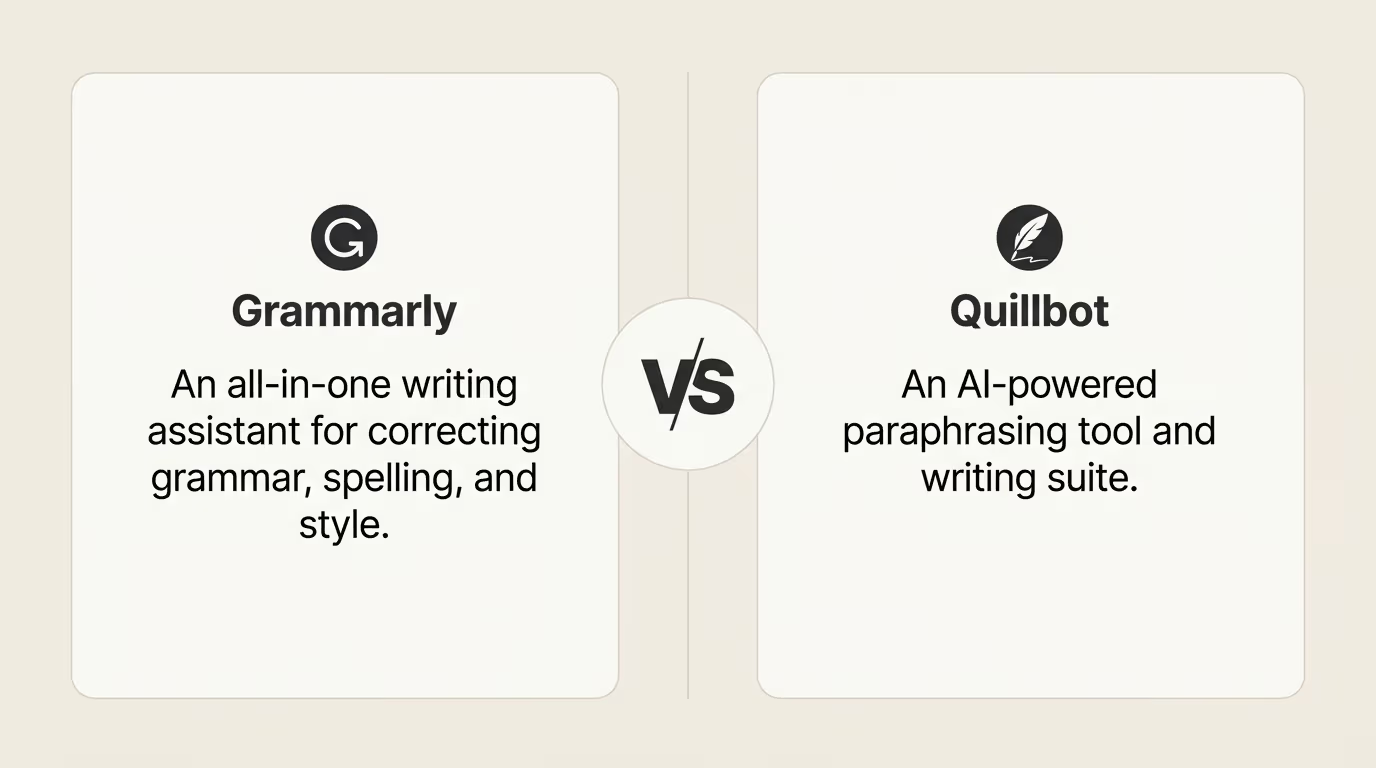
- Choose Quillbot if your main goal is paraphrasing, rewriting, or rewording content quickly. It’s simple, effective, and budget-friendly for students and content creators.
- Choose Grammarly if you need accurate grammar correction, tone improvement, and real-time writing assistance across different platforms.
The Bottom Line
- Quillbot wins for rewriting and content transformation.
- Grammarly wins for overall writing quality, accuracy, and professional use.
Who Should Pick What?
- Go with Quillbot if you:
- Rewrite essays or articles frequently
- Need multiple variations of the same content
- Want a more affordable tool
- Go with Grammarly if you:
- Write emails, reports, or professional content
- Need real-time suggestions while typing
- Care about tone, clarity, and correctness
Key Differences at a Glance (Comparison Table)
To quickly understand how these two tools stack up, here’s a side-by-side comparison of Grammarly vs Quillbot based on the features that matter most:
| Feature | Quillbot | Grammarly |
| Primary Focus | Paraphrasing & rewriting | Grammar, clarity & tone correction |
| Grammar Checking | Good (basic to moderate) | Excellent (advanced accuracy) |
| Paraphrasing Tool | Best-in-class | Limited |
| Real-Time Suggestions | Limited | Strong real-time support |
| AI Writing Assistant | Co-Writer (basic) | GrammarlyGO (advanced) |
| Plagiarism Checker | Available (limited) | More reliable & detailed |
| Tone Detection | Basic | Advanced tone & intent detection |
| Ease of Use | Simple interface | Polished, intuitive UI |
| Integrations | Browser + limited tools | Works across apps, emails, docs |
| Pricing | More affordable | Higher cost but more features |
What This Comparison Really Means
- Quillbot is specialized: It focuses heavily on rewriting and gives you multiple variations of the same text.
- Grammarly is all-in-one: It improves grammar, tone, clarity, and even helps generate content in real time.
Quick Takeaways
- If you want better sentence versions, Quillbot is your go-to.
- If you want error-free, polished writing everywhere, Grammarly is the stronger choice.
What is Grammarly?
Grammarly is a powerful AI writing assistant designed to help you write clearly, correctly, and confidently. It goes far beyond basic spell check by offering real-time suggestions for grammar, tone, clarity, and overall writing quality.
How Grammarly Works
Grammarly analyzes your text as you write. It detects errors and suggests improvements instantly. These suggestions are not just about fixing mistakes—they also help you sound more professional and natural.
For example, it can:
- Correct grammar and spelling errors
- Improve sentence structure
- Adjust tone (formal, casual, confident, etc.)
- Suggest clearer or more concise wording
Key Features of Grammarly
- Advanced Grammar Checker
Detects complex grammar issues that basic tools often miss. - Tone and Clarity Suggestions
Helps you match your writing style to your audience. - Real-Time Writing Assistance
Works while you type in emails, documents, and browsers. - GrammarlyGO (AI Writing Tool)
Assists with rewriting, idea generation, and content drafting. - Plagiarism Detection
Checks your content against a large database for originality.
Where You Can Use Grammarly
One of Grammarly’s biggest strengths is its wide compatibility. You can use it across:
- Web browsers (Chrome, Edge, etc.)
- Google Docs
- Microsoft Word
- Email platforms like Gmail
- Mobile devices
Who is Grammarly Best For?
Grammarly is ideal for:
- Professionals writing emails, reports, or proposals
- Students working on essays and assignments
- Content creators who want polished, error-free writing
What is Quillbot?
QuillBot is an AI-powered writing tool best known for its paraphrasing and rewriting capabilities. It helps you take existing text and transform it into a new version while keeping the original meaning intact.
How Quillbot Works
Quillbot uses AI to rewrite sentences in different ways. You simply paste your text, choose a mode, and it generates a revised version instantly.
Instead of just fixing errors, Quillbot focuses on rewording content, making it useful for improving clarity, avoiding repetition, or creating unique variations.
Key Features of Quillbot
- Paraphrasing Tool (Core Feature)
Rewrites sentences in multiple styles like Standard, Fluency, Creative, and Formal. - Multiple Writing Modes
Lets you control how much the text changes—whether you want minor tweaks or complete rewrites. - Built-in Grammar Checker
Fixes basic grammar and spelling issues alongside paraphrasing. - Summarizer Tool
Condenses long articles or paragraphs into shorter, key-point summaries. - Co-Writer (AI Writing Assistant)
Helps you write, edit, and paraphrase content in one workspace. - Citation Generator
Useful for students who need to create references quickly.
Where You Can Use Quillbot
Quillbot is mainly used through:
- Web app interface
- Browser extensions (limited compared to Grammarly)
- Google Docs integration
Who is Quillbot Best For?
Quillbot is ideal for:
- Students rewriting essays or assignments
- Bloggers and writers creating multiple content versions
- Anyone looking to simplify or rephrase text quickly
Pricing Comparison: Which Tool Offers Better Value?
When choosing between Grammarly vs Quillbot , pricing plays a big role—especially if you’re planning to use the tool regularly.
Both offer free plans, but their premium features and overall value differ significantly.
Quillbot Pricing Plans
Quillbot is known for being budget-friendly, making it a popular choice among students and casual users.
- Free Plan
- Limited paraphrasing modes
- Character limits on rewriting
- Basic grammar checking
- Premium Plan
- Unlimited paraphrasing
- Access to all writing modes
- Faster processing speed
- Advanced rewriting controls
Why Quillbot Wins on Pricing:
It delivers strong core features (especially paraphrasing) at a lower cost. If you mainly need rewriting tools, you get great value without spending much.
Grammarly Pricing Plans
Grammarly is more expensive, but it offers a broader range of advanced features.
- Free Plan
- Basic grammar and spelling checks
- Limited tone suggestions
- Premium Plan
- Advanced grammar corrections
- Tone, clarity, and style improvements
- Plagiarism detection
- Full access to GrammarlyGO (AI writing assistant)
What You Pay For:
You’re paying for accuracy, depth, and a complete writing assistant that works across platforms.
Value Comparison: Which One Should You Choose?
- Choose Quillbot if:
- You want a low-cost tool
- Your main need is paraphrasing
- You don’t need advanced grammar analysis
- Choose Grammarly if:
- You want an all-in-one writing solution
- You need professional-level accuracy
- You write frequently across multiple platforms
Final Take on Pricing
- Best Budget Option: Quillbot
- Best Overall Value (Features + Quality): Grammarly
Accuracy and Grammar Checking Performance
When it comes to writing tools, accuracy is everything. A tool might look great on the surface, but if it misses errors or gives weak suggestions, it won’t truly improve your writing.
Let’s compare how Grammarly vs Quillbot perform in real-world grammar checking.
Grammarly: Advanced and Reliable Accuracy
Grammarly is widely known for its high-level accuracy and deep analysis.
- Detects complex grammar issues (not just basic mistakes)
- Identifies tone problems and awkward phrasing
- Suggests sentence rewrites for clarity and flow
- Provides context-aware corrections
It doesn’t just fix errors—it explains them and improves the overall quality of your writing. This makes it especially useful for professional and academic content.
Quillbot: Good, But Not Its Strength
Quillbot does include a grammar checker, but it’s not as advanced.
- Handles basic grammar and spelling issues well
- Works best when combined with its paraphrasing tool
- May miss subtle errors or advanced writing problems
Its grammar correction is more of a support feature, not the main focus.
Key Difference
- Grammarly focuses on accuracy and depth
- Quillbot focuses on rewriting, not detailed correction
This means Grammarly is better at polishing your writing, while Quillbot is better at reshaping it.
Real-World Example
- Writing a formal email or report → Grammarly performs better
- Rewriting a paragraph in different words → Quillbot performs better
Paraphrasing and Rewriting Capabilities
Paraphrasing is where the real difference between Grammarly vs Quillbot becomes obvious. Both tools can rewrite text—but they do it in very different ways.
Quillbot: Built for Rewriting
Quillbot is designed specifically for paraphrasing and content transformation.
- Offers multiple rewriting modes (Standard, Fluency, Creative, Formal, etc.)
- Lets you control how much the text changes
- Generates multiple variations of the same sentence
- Maintains original meaning while improving wording
This makes it extremely useful when you need unique versions of content quickly.
Grammarly: Limited but Improving
Grammarly does include rewriting features, especially with its AI tool (GrammarlyGO), but:
- It focuses more on improving clarity and tone rather than full rewrites
- Provides suggestions instead of multiple variations
- Works better for polishing than transforming content
In short, it’s helpful—but not built for heavy paraphrasing tasks.
Key Difference
- Quillbot = Deep rewriting and multiple variations
- Grammarly = Light rewriting focused on clarity and correctness
Best Use Cases for Paraphrasing
Quillbot is best when you want to:
- Rewrite essays or assignments
- Avoid repetition in content
- Create multiple versions of articles or blog posts
- Simplify complex sentences
Grammarly is better when you want to:
- Improve sentence clarity
- Make small refinements
- Adjust tone without changing meaning too much
Tone, Style, and Writing Enhancement Features
Writing isn’t just about being correct—it’s about how your message sounds. Tone, clarity, and style play a huge role in making your content engaging and professional.
Here’s how Grammarly vs Quillbot compare in this area.
Grammarly: Strong Control Over Tone and Style
Grammarly is built to help you refine how your writing sounds, not just fix errors.
- Detects tone (formal, casual, confident, friendly, etc.)
- Suggests changes to match your intended audience
- Improves clarity by shortening or simplifying sentences
- Enhances vocabulary without making text unnatural
It also gives real-time feedback like:
- “This sounds too informal”
- “Consider making this more concise”
This makes Grammarly especially useful for professional and business communication.
Quillbot: Basic Style Improvements
Quillbot can adjust tone, but mainly through its paraphrasing modes.
- Modes like Formal, Creative, or Simple change writing style
- Focuses more on rewriting than fine-tuning tone
- Limited real-time tone analysis
While it can change how text reads, it doesn’t provide deep insights into tone or audience suitability.
Key Difference
- Grammarly analyzes and improves tone in detail
- Quillbot changes tone indirectly through rewriting
When Tone and Style Matter Most
- Writing emails, proposals, or reports → Grammarly is the better choice
- Rewriting content in a different style → Quillbot can help, but with less precision
AI Writing Tools: GrammarlyGO vs Quillbot Co-Writer
Both Grammarly vs Quillbot now include AI-powered writing assistants that go beyond grammar and paraphrasing. These tools help you generate, rewrite, and improve content—but their approach is very different.
GrammarlyGO: Context-Aware Writing Assistant
GrammarlyGO is Grammarly’s generative AI feature designed to support end-to-end writing improvement.
- Generates emails, paragraphs, and ideas from prompts
- Adapts tone based on context (formal, friendly, professional)
- Improves existing text with one-click rewrites
- Works inside Grammarly’s ecosystem for seamless editing
It is especially useful when you want to write from scratch or quickly refine content without switching tools.
Quillbot Co-Writer: Simple but Functional
Quillbot’s Co-Writer combines multiple tools like paraphrasing, summarizing, and grammar checking in one workspace.
- Helps you write and rewrite in the same place
- Offers built-in paraphrasing while drafting
- Includes summarizer and citation tools for academic use
- More focused on restructuring than generating ideas
It is helpful, but it is more of a writing assistant toolkit than a full AI content generator.
Key Difference
- GrammarlyGO = Strong AI writing and content generation
- Quillbot Co-Writer = Lightweight writing + rewriting support
Best Use Cases
GrammarlyGO is better for:
- Writing emails, blogs, or reports from scratch
- Generating ideas and improving tone instantly
- Professional and business communication
Quillbot Co-Writer is better for:
- Students working on essays or assignments
- Combining paraphrasing and summarizing in one place
- Light content drafting and editing
Plagiarism Detection and AI Content Checking
Originality is critical for students, bloggers, and professionals. Both Grammarly vs Quillbot offer plagiarism-related features, but their depth and reliability are not the same.
Grammarly: More Reliable Plagiarism Detection
Grammarly provides a built-in plagiarism checker (premium feature) designed to scan your content against a large database of online sources.
- Checks text against billions of web pages and academic papers
- Highlights matched content clearly
- Helps improve originality before publishing or submitting work
- Works alongside grammar and tone suggestions
This makes Grammarly especially useful for:
- Academic essays
- Professional documents
- Blog posts and website content
It is more focused on accuracy and source matching, which makes it a stronger tool for serious writing.
Quillbot: Basic but Useful Plagiarism Tool
Quillbot also offers a plagiarism checker, but it is more limited in scope.
- Detects copied or similar content
- Useful for quick originality checks
- Works best for shorter texts or basic review
However, it does not offer the same depth of database coverage or detailed reporting as Grammarly.
AI Content Detection (Important Note)
Both tools are increasingly used in workflows involving AI-generated content, but:
- Grammarly focuses more on writing quality and originality improvement
- Quillbot includes additional tools like paraphrasing that may reduce similarity, but not always guarantee originality
Neither tool is a perfect “AI detector,” but both can help reduce unintentional duplication.
Key Difference
- Grammarly = deeper, more reliable plagiarism detection
- Quillbot = basic checks with limited coverage
When to Use Each Tool
- Use Grammarly when:
- Submitting academic work
- Publishing professional or public content
- You need high confidence in originality
- Use Quillbot when:
- You want a quick similarity check
- You are rewriting content and need basic assurance
User Experience, Interface, and Integrations
A writing tool is only useful if it feels easy to use in everyday work. Both Grammarly vs Quillbot offer smooth experiences, but their design philosophy is quite different.
Grammarly: Smooth, Professional, and Seamless
Grammarly is built for continuous, real-time writing support across platforms.
- Clean and modern interface
- Real-time suggestions while typing
- Works quietly in the background without interrupting workflow
- Easy-to-understand corrections with clear explanations
It integrates deeply into everyday tools, including:
- Browsers (Chrome, Edge, Firefox)
- Google Docs and Gmail
- Microsoft Word and Outlook
- Mobile keyboards and apps
This makes Grammarly ideal for users who write constantly and want instant feedback without switching tools.
Quillbot: Simple and Tool-Focused
Quillbot follows a more function-based interface approach.
- Separate tools for paraphrasing, summarizing, and grammar checking
- Clean layout but requires switching between features
- More manual control over input and output
- Less intrusive, more “copy-paste and edit” style workflow
Its integrations are more limited compared to Grammarly:
- Browser extension support
- Google Docs integration
- Web-based workspace for writing tasks
Key Difference in Experience
- Grammarly = Always-on assistant that works everywhere you write
- Quillbot = Tool-based platform you use when needed
Ease of Use Comparison
- Grammarly feels more automated and hands-free
- Quillbot feels more controlled and task-oriented
Pros and Cons of Grammarly vs Quillbot
Before deciding between Grammarly vs Quillbot , it’s important to understand where each tool performs well—and where it falls short.
Grammarly Pros and Cons
Pros
- Highly accurate grammar checking with advanced error detection
- Real-time writing suggestions across apps and browsers
- Strong tone and clarity improvements for professional writing
- Excellent user experience and interface design
- Wide range of integrations (Google Docs, email, MS Word, etc.)
- Built-in plagiarism detection (premium feature)
- Helpful AI writing support (GrammarlyGO)
Cons
- More expensive than many alternatives
- Some advanced features locked behind premium plans
- Can occasionally over-suggest changes in creative writing
- Limited deep paraphrasing compared to specialized tools
Quillbot Pros and Cons
Pros
- Excellent paraphrasing and rewriting capabilities
- Multiple rewriting modes for different writing styles
- More affordable pricing compared to Grammarly
- Includes useful tools like summarizer and citation generator
- Simple and beginner-friendly interface
- Good for students and content rewriting tasks
Cons
- Grammar checking is not as advanced as Grammarly
- Limited real-time writing assistance
- Weaker tone and style analysis
- Fewer integrations across platforms
- Plagiarism checker is less powerful than Grammarly
Key Takeaway
- Grammarly is best for writing accuracy, clarity, and professional polish
- Quillbot is best for rewriting, paraphrasing, and content transformation
Best Use Cases: Who Should Use Each Tool?
Both Grammarly vs Quillbot are powerful, but they are built for different types of users. Choosing the right one depends on your writing goals, workload, and level of polish required.
Students and Academic Writing
Students often need help with essays, assignments, and research-based writing.
- Quillbot is useful for:
- Rewriting essays in different wording
- Summarizing long chapters or notes
- Generating citations quickly
- Avoiding repetition in assignments
- Grammarly is useful for:
- Fixing grammar and structure in essays
- Improving clarity and academic tone
- Ensuring error-free submissions
- Checking originality (premium feature)
Best choice:
- Quillbot for rewriting-heavy tasks
- Grammarly for final polishing and submission-ready work
Business and Professional Writing
Professionals need clear, polished, and confident communication.
- Grammarly excels in:
- Writing emails and reports
- Maintaining professional tone
- Real-time corrections during writing
- Ensuring clarity in business communication
- Quillbot helps with:
- Rewriting internal notes or drafts
- Simplifying complex sentences
- Creating alternative wording options
Best choice:
- Grammarly is the stronger option for professional use
Content Creators and Bloggers
Writers and marketers often need both creativity and efficiency.
- Quillbot is helpful for:
- Rewriting blog content for uniqueness
- Creating multiple versions of articles
- Improving readability of drafts
- Speeding up content production
- Grammarly is helpful for:
- Editing blog posts for grammar and flow
- Improving readability and SEO clarity
- Ensuring professional-quality publishing
- Maintaining consistent tone
Best choice:
- Best results come from using both together
Final Insight
- Quillbot = best for rewriting, summarizing, and generating variations
- Grammarly = best for accuracy, clarity, and professional refinement
Final Verdict: Which Tool Should You Choose?
After comparing every major feature of Grammarly vs Quillbot , one thing is clear—there is no single “perfect” tool for everyone. The better choice depends on what you actually need from your writing process.
When Grammarly Is the Better Choice
Grammarly is the stronger option if your focus is writing quality and correctness.
Choose Grammarly if you want:
- Error-free grammar and spelling
- Better sentence clarity and structure
- Professional tone and communication
- Real-time writing support across platforms
- Reliable plagiarism detection
It is especially useful for:
- Business emails and reports
- Academic submissions
- Professional content writing
When Quillbot Is the Better Choice
Quillbot performs best when your priority is rewriting and content transformation.
Choose Quillbot if you need:
- Fast paraphrasing and sentence rewriting
- Multiple variations of the same content
- Simplifying or restructuring text
- Budget-friendly writing assistance
It is especially useful for:
- Students rewriting assignments
- Bloggers creating content variations
- Quick editing and summarizing tasks
Best Strategy: Use Both Together
In many real-world cases, the strongest workflow is not choosing one tool—but combining both:
- Use Quillbot to rewrite and generate variations
- Use Grammarly to refine, polish, and correct mistakes
This combination gives you:
- Better originality
- Higher accuracy
- More polished final output
Frequently Asked Questions (FAQs)
Here are some of the most common questions about Grammarly vs Quillbot to help you make a clear decision.
Is Quillbot better than Grammarly?
It depends on your goal. Quillbot is better for rewriting and paraphrasing, while Grammarly is better for grammar accuracy, tone, and overall writing quality.
Can Grammarly replace Quillbot?
Not completely. Grammarly includes rewriting features, but Quillbot is still stronger for generating multiple paraphrased versions of the same text.
Which tool is better for students?
Both are useful:
- Quillbot helps with rewriting essays and simplifying notes
- Grammarly helps with final editing and error-free submissions
Do Grammarly vs Quillbot check plagiarism?
Yes, but at different levels:
- Grammarly offers a more advanced plagiarism checker (premium)
- Quillbot provides a basic plagiarism detection tool
Can I use Grammarly vs Quillbot together?
Yes. Many users combine both:
- Quillbot for rewriting and content variation
- Grammarly for polishing and correcting final drafts
Which tool is more accurate?
Grammarly is generally more accurate for:
- Grammar correction
- Sentence structure
- Tone and clarity improvements
Quillbot is more focused on:
- Rewriting and paraphrasing accuracy
Is Quillbot good for professional writing?
Quillbot can help with rewriting, but it is not ideal for fully professional writing on its own. Grammarly is better suited for business and formal communication.
Which is more affordable?
Quillbot is usually more budget-friendly, while Grammarly is more expensive but offers a wider range of advanced features.
Final Conclusion: Grammarly vs Quillbot — Which One Wins?
Choosing between Grammarly vs Quillbot ultimately depends on what kind of writing support you need. Both tools are powerful, but they are designed for different purposes.
Overall Winner: Grammarly
Grammarly comes out ahead as the more complete writing solution.
It is best for:
- Accurate grammar and spelling correction
- Improving clarity, tone, and structure
- Professional and academic writing
- Real-time writing assistance across platforms
If your goal is to produce clean, polished, and professional-quality writing, Grammarly is the stronger long-term choice.
Where Quillbot Excels
Quillbot is not a full writing assistant, but it dominates in one key area: rewriting.
It is best for:
- Paraphrasing sentences and paragraphs
- Creating multiple versions of the same content
- Simplifying or restructuring text
- Budget-friendly writing support
If your focus is content transformation and rewriting speed, Quillbot is extremely effective.
Final Recommendation
- Choose Grammarly if you want a complete writing assistant that improves every aspect of your content.
- Choose Quillbot if you mainly need a tool for rewriting and generating variations.
- Use both together for the best results—Quillbot for drafting and Grammarly for final polishing.
Conclusion
Both Grammarly vs Quillbot are powerful AI writing tools, but they serve different needs. Quillbot is best suited for fast rewriting, paraphrasing, and generating multiple versions of content, while Grammarly focuses on improving grammar, clarity, tone, and overall writing quality. Instead of viewing one as better in every situation, it’s more practical to see them as complementary tools. If your goal is polished, professional writing, Grammarly is the stronger choice. If your focus is content rewriting and variation, Quillbot stands out. For many users, combining both tools delivers the most efficient and high-quality writing workflow.

James Eco is an AI tools researcher and content
creator with 3+ years of experience testing and
reviewing AI tools for creators and businesses.
At Get AI Craftly, he provides honest, hands-on
reviews to help readers choose the best AI tools.